WP Post TTS - Complete Description
Category: Productivity • Platform: WordPress Plugin
WP Post TTS - Transform Your WordPress Content into Engaging Audio
Elevate your website's user experience and accessibility with WP Post TTS, the ultimate Text-to-Speech plugin for WordPress. This powerful tool seamlessly converts your blog posts, articles, and pages into high-quality, natural-sounding audio, offering your audience a dynamic new way to consume your content. Perfect for multitasking readers, visually impaired users, or anyone who prefers to listen on the go, WP Post TTS is designed to make your content more accessible and engaging than ever before.
Why WP Post TTS is Your Go-To WordPress TTS Plugin:
- Boost Accessibility: Provide an invaluable auditory alternative, catering to a wider audience and enhancing your site's inclusivity.
- Skyrocket Engagement: Keep visitors on your site longer by offering a convenient listening option, allowing them to absorb your content while commuting, exercising, or simply relaxing.
- Modern and Intuitive Design: Our plugin features beautifully crafted, neumorphic-inspired frontend buttons that seamlessly blend with your website's aesthetic, providing a clean and intuitive user interface.
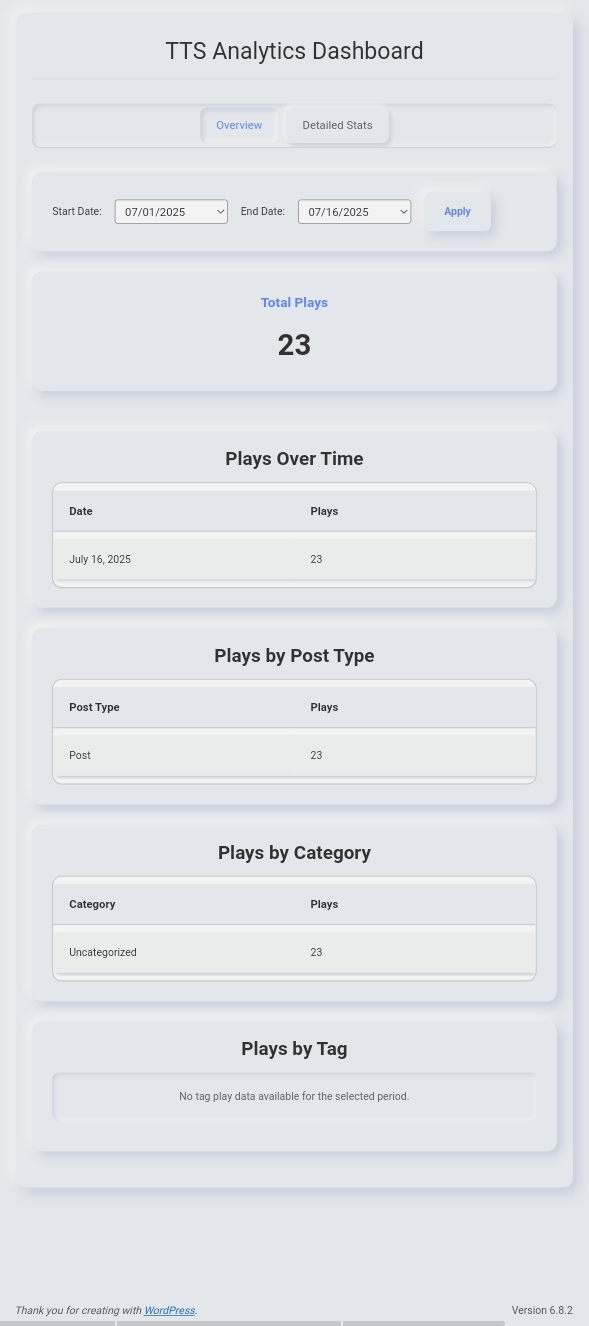
- Data-Driven Insights: Gain a clear understanding of how your audio content performs with a comprehensive analytics dashboard, tracking plays, completion rates, and popular audio posts.
- Future-Proof and Reliable: Built with clean code, security best practices, and optimized for performance, ensuring a smooth and dependable experience for both you and your users.
Key Features and How They Work:
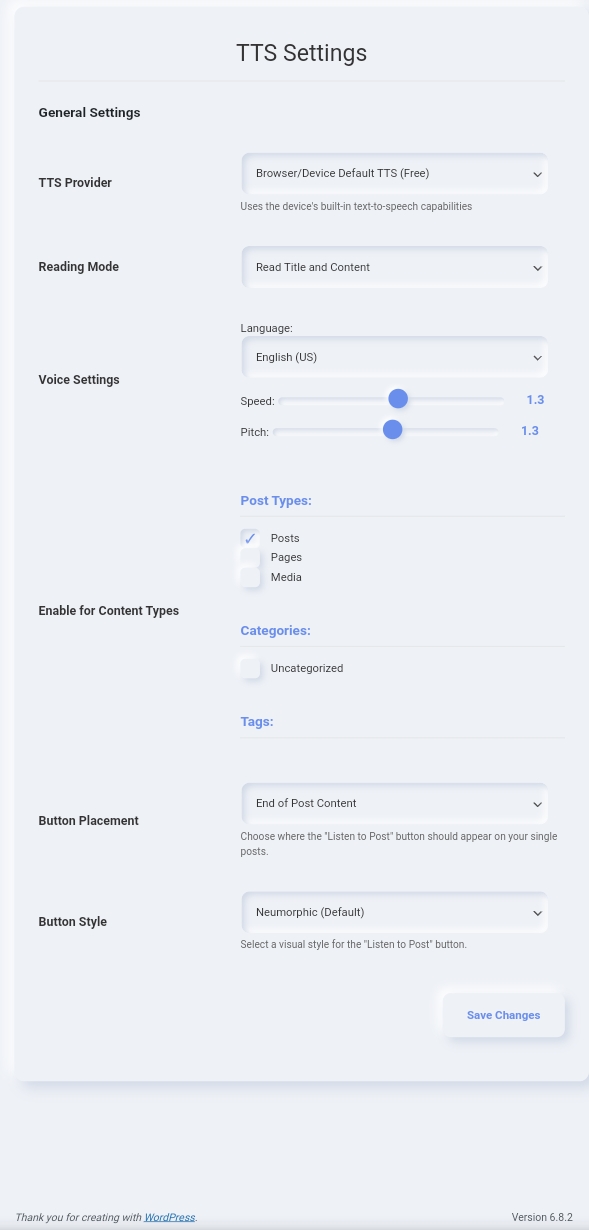
- Diverse TTS Provider Integrations: WP Post TTS allows you to choose from a range of Text-to-Speech services, including Google Cloud, Amazon Polly, ElevenLabs, Microsoft Azure, as well as free options like Browser-native TTS and Google Translate TTS. Simply select your preferred provider in the settings, input any required API keys, and the plugin handles the audio generation.
- Flexible Reading Modes: Tailor the audio experience by defining what content is read aloud. You can select to read content only, the title and content, or a rich combination of the title, excerpt, and content. The plugin intelligently extracts and synthesizes the chosen text.
- Granular Content Control: Gain precise control over where the TTS feature appears. You can enable TTS functionality for specific post types (e.g., posts, pages, custom post types), categories, or tags. The plugin automatically checks these criteria before displaying the "Listen to Post" button.
- Customizable Frontend Buttons: Personalize the "Listen to Post" button to match your site's design. Choose from 5 distinct styles (Neumorphic, Serenity, Greenery, Modern Flat, Minimal) and set its ideal placement (start, middle, end of content, or a convenient sticky bottom bar). The plugin dynamically renders the button with your chosen style and position.
- Comprehensive Analytics Dashboard: Understand user engagement with your audio content through a dedicated analytics dashboard. It monitors total plays, tracks pause and completion events, and provides insights into performance across different content types and categories. Data is collected automatically when tracking is enabled in settings.
- Fully Responsive: The plugin's interface, including the "Listen to Post" button and its progress bar, is designed to adapt flawlessly to all screen sizes and devices, from desktops to tablets and smartphones, ensuring a consistent user experience.
How This WordPress Audio Plugin Works:
Simply install and activate WP Post TTS. Navigate to the intuitive settings panel in your WordPress admin area to select your preferred TTS provider, fine-tune voice characteristics (language, speed, pitch), choose your reading mode, and customize the appearance and placement of your "Listen to Post" button. Once configured, the plugin automatically adds the audio playback feature to your selected content, ready for your visitors to enjoy instantly. The frontend script handles the AJAX requests to your chosen TTS provider and manages audio playback and progress tracking seamlessly.
Compatibility and Support:
WP Post TTS is designed for broad compatibility with all modern WordPress themes and browsers. We are committed to providing excellent support to ensure your experience is smooth and successful.
Author: Abu Taher Siddik Author Website: https://github.com/imabutahersiddik.