Wow Paste - Complete Description
Category: Productivity • Platform: Web
WOWPASTE - SUPER EASY PASTE SHARING TOOL
Made for Kids, Students, and Everyone!
🎉 HELLO! LET'S LEARN ABOUT WOWPASTE! 🎉
WHAT IS WOWPASTE?
Imagine you have a really cool story or your homework answers, and you want to share them with your friends or classmates. But you don't want to type the same thing over and over again for each person!
That's where Wowpaste comes in! It's like a magical tool that lets you:
- ✅ Type your text ONCE
- ✅ Get a special link
- ✅ Share that link with anyone
- ✅ Everyone can see your text instantly!
It's like sharing your lunch with friends - you make it once, and everyone gets to enjoy it!
WHY IS WOWPASTE THE BEST?
🌟 SUPER EASY TO USE
- Just type your text
- Click one button
- Get your special link
- Share it with friends!
🎨 LOOKS REALLY COOL
- Beautiful colors and designs
- Works on phones, tablets, and computers
- Dark mode for night time
- Light mode for daytime
🔒 KEEPS YOUR STUFF SAFE
- No mean people can mess with your text
- Your private stuff stays private
- No weird hackers can see your work
⚡ WORKS REALLY FAST
- Your text appears in just 1-2 seconds
- Doesn't make your device slow
- Works even with slow internet
WHAT CAN YOU DO WITH WOWPASTE?
📝 SHARE YOUR HOMEWORK
- Type your math answers
- Share the link with study friends
- Help each other learn!
💻 SHARE CODE (FOR FUTURE PROGRAMMERS!)
- Write computer programs
- Share with classmates
- Learn from each other's code
📚 SHARE STUDY NOTES
- Type your reading notes
- Share with friends before test
- Everyone studies together
🎨 SHARE YOUR STORIES
- Write creative stories
- Share with family and friends
- Get feedback and compliments
👥 WORK TOGETHER ON PROJECTS
- Everyone adds their part
- See what others wrote
- Make group projects easy!
HOW TO USE WOWPASTE (IT'S SO EASY!)
STEP 1: GO TO THE WEBSITE
- Open your web browser
- Type the website address
- Click Enter
STEP 2: TYPE YOUR TEXT
- Find the big white box
- Click on it
- Type whatever you want to share
STEP 3: CLICK THE MAGIC BUTTON
- Find the "Create Paste" button
- Click it once
- Wait just a few seconds
STEP 4: GET YOUR SPECIAL LINK
- You'll see a new page with a special link
- Copy that link (you can right-click and copy)
- Share it with anyone you want!
STEP 5: EVERYONE CAN READ IT!
- Your friends click the link
- They see your text instantly
- They can copy it if they want
THAT'S IT! ONLY 5 SIMPLE STEPS! 😊
WHAT MAKES WOWPASTE SPECIAL?
🌈 REALLY PRETTY DESIGN
- Looks like a professional website
- Colors that are easy on your eyes
- Pictures and icons that make sense
- Even grown-ups think it looks cool!
📱 WORKS ON EVERYTHING
- Your mom's phone? ✅
- Your tablet? ✅
- Your computer? ✅
- Your game console? ✅
- Even your smart watch! ✅
🎓 GREAT FOR SCHOOL
- Perfect for homework help
- Great for group projects
- Helps you share study materials
- Makes learning more fun!
🔧 HAS COOL EXTRAS
- Different colors for different text
- Can find your old text easily
- Can protect special text with password
- Can set text to delete after some time
EXAMPLES OF HOW TO USE WOWPASTE
EXAMPLE 1: HOMEWORK HELP
SITUATION: You're stuck on a math problem
WHAT TO DO:
- Type your question on Wowpaste
- Share the link with a friend
- They help solve it
- They share the answer back
- Everyone learns together!
EXAMPLE 2: GROUP PROJECT
SITUATION: You need to write a story with friends
WHAT TO DO:
- Each person writes their part
- Share all parts on Wowpaste
- Read what everyone wrote
- Combine into one amazing story
- Turn in as a group!
EXAMPLE 3: STUDYING FOR TESTS
SITUATION: You have history notes to share
WHAT TO DO:
- Type your notes on Wowpaste
- Add pretty formatting
- Share with your study group
- Everyone studies together
- Get better grades!
EXAMPLE 4: SHARING ART OR POEMS
SITUATION: You wrote a cool poem
WHAT TO DO:
- Type your poem
- Make it look pretty
- Share with family
- Get compliments and feedback
- Feel proud of your work!
SAFETY FEATURES (KEEPING YOU SAFE!)
🛡️ NO MEAN PEOPLE ALLOWED
- Bad words get filtered out
- Mean comments get blocked
- Safe for all ages
🔐 YOUR PRIVATE STUFF STAYS PRIVATE
- You decide who sees what
- Private pastes need passwords
- Your personal info stays safe
🚫 NO WEIRD PEOPLE
- Can't see your real name
- Can't find out where you live
- Completely anonymous and safe
👨👩👧👦 GOOD FOR FAMILIES
- Parents can check what you're sharing
- Safe environment for kids
- Educational and fun
FUN FEATURES THAT KIDS LOVE
🎨 MAKE IT COLORFUL
- Different text colors for different subjects
- Red for math, blue for science
- Green for language arts
- Makes studying more fun!
📷 SHARE PICTURES TOO
- Not just text - you can share images!
- Photos of your projects
- Pictures of your art
- Screenshots of cool stuff
🏆 SHOW OFF YOUR WORK
- Get views and likes
- See how many people read your stuff
- Feel proud when others use your ideas
🎮 COLLABORATIVE GAMES
- Write stories together
- Create word chains
- Make group art projects
- Learning becomes fun!
PARENTS AND TEACHERS LOVE WOWPASTE
👩🏫 FOR TEACHERS:
- Students can share homework
- Group projects become easier
- Students help each other learn
- Less paper waste
- Instant feedback between students
👨👩👧👦 FOR PARENTS:
- Kids learn to share responsibly
- Safe environment for learning
- Helps with homework
- Builds social skills
- Educational entertainment
COOL THINGS YOU CAN CREATE
📚 DIGITAL NOTEBOOKS
- Type all your class notes
- Organize by subject
- Share with classmates
- Never lose your notes again!
🎭 INTERACTIVE STORIES
- Write stories with friends
- Take turns adding parts
- Create amazing adventures
- Share with family
🧮 HOMEWORK HELP NETWORK
- Help friends with math
- Share science experiments
- Study together for tests
- Make learning a team sport!
🎨 DIGITAL ART GALLERIES
- Write about your artwork
- Share your creative writing
- Get feedback and suggestions
- Build confidence in your talents
WHAT MAKES WOWPASTE DIFFERENT?
VS OTHER WEBSITES:
- Easier to use than most
- Looks prettier than basic sites
- Safer than social media
- No ads or distractions
- Made specifically for students
VS EMAIL:
- Faster than sending emails
- No file size limits
- Easier to organize
- Looks better
- Works on all devices
VS PRINTING:
- Saves paper (helps Earth!)
- Never runs out of ink
- Can update anytime
- Anyone can access it
- Always backed up
GETTING STARTED (SUPER EASY!)
WHAT YOU NEED:
- Any device with internet (phone, tablet, computer)
- A web browser (Chrome, Firefox, Safari)
- 5 minutes of your time
WHAT TO DO:
- Ask a parent or teacher for permission
- Go to the Wowpaste website
- Read the simple instructions
- Type something fun!
- Share with friends or family
FIRST TIME IDEAS:
- Write about your favorite hobby
- Share a fun fact you learned
- Type a short story
- Create a list of your favorite things
- Write a poem about your pet
HELP AND SUPPORT
📖 EASY TO UNDERSTAND GUIDE
- Step-by-step pictures
- Simple words
- No confusing technical stuff
❓ ASK FOR HELP
- Talk to parents or teachers
- They can help you get started
- Don't be shy to ask questions
🎥 WATCH TUTORIAL VIDEOS
- See exactly how to use it
- Learn cool tips and tricks
- Fun to watch and learn
🌟 JOIN THE COMMUNITY
- Share your creations
- Learn from other kids
- Make new friends online
FUN ACTIVITIES TO TRY
🏃♂️ CHALLENGE YOURSELF
- Write a story in exactly 100 words
- Create a recipe for a new food
- Write instructions for your favorite game
- Make a poem using only 5 different words
🤝 TEAM UP WITH FRIENDS
- Each person writes one sentence
- Combine into a story
- See what you create together
- Share with family for laughs
🎨 BE CREATIVE
- Write different types of poems
- Create character descriptions
- Write about imaginary places
- Make up new words and definitions
🎯 SET GOALS
- Share something new every day
- Help 3 friends with their homework
- Learn 5 new words each week
- Create something beautiful
WHY KIDS AND FAMILIES LOVE WOWPASTE
😊 MAKES LEARNING FUN
- Turns homework into games
- Makes studying social
- Helps kids help each other
- Builds confidence
🌟 ENCOURAGES CREATIVITY
- Kids love to create and share
- Safe space to express ideas
- Gets positive feedback
- Builds writing skills
🤝 HELPS FAMILIES CONNECT
- Kids can share their work
- Parents can see what kids create
- Grandparents can read grandkids' stories
- Brings families closer
📚 SUPPORTS EDUCATION
- Helps with all subjects
- Makes research easier
- Improves writing skills
- Teaches digital citizenship
AMAZING THINGS KIDS HAVE CREATED
📖 INTERACTIVE STORYBOOKS
- Kids write chapters together
- Create adventures with friends
- Share with class and family
- Some even get published!
🧮 STUDY GUIDES
- Students create cheat sheets
- Share with entire class
- Everyone contributes
- Makes studying more fun
🎨 DIGITAL ART COLLECTIONS
- Write about artwork
- Share creative writing
- Get feedback and support
- Build artistic confidence
🌍 LANGUAGE LEARNING
- Kids teach each other words
- Create translation guides
- Share cultural information
- Learn about different countries
GET YOUR FAMILY STARTED TODAY!
FOR KIDS:
- Ask mom or dad for permission
- Start with something easy
- Share with family first
- Gradually share with friends
- Have fun and be creative!
FOR PARENTS:
- Check out the website together
- Help kids get started safely
- Monitor what they're sharing
- Encourage creative projects
- Use it for homework help
FOR TEACHERS:
- Demonstrate to students
- Use for group projects
- Encourage collaborative writing
- Share resources with other classes
- Make learning more interactive
AMAZING SUCCESS STORIES
SARAH (AGE 10): "I used Wowpaste to share my book report with my whole class. Everyone could read it, and three friends asked me to help them with their reports too! I felt like a real teacher!"
MARCUS (AGE 12): "My group was stuck on our science project. We used Wowpaste to write all our ideas together, even though we were at home. We got an A+ on our project!"
EMMA (AGE 9): "I love writing stories. Now I can share them with my grandma who lives far away. She reads all my stories and sends me nice messages!"
THE WHOLE 5TH GRADE CLASS: "We used Wowpaste to create a class cookbook with everyone's favorite recipes. Even the principal was impressed!"
JOIN THOUSANDS OF HAPPY KIDS!
Kids all around the world are using Wowpaste to:
- ✅ Share their homework and get help
- ✅ Create amazing stories together
- ✅ Learn new things from friends
- ✅ Build confidence in their writing
- ✅ Have fun while learning
- ✅ Help their families and teachers
GET STARTED IN JUST 5 MINUTES!
- ASK FOR PERMISSION (Always ask parents or teachers first!)
- GO TO THE WOWPASTE WEBSITE (Ask an adult to help type the address)
- READ THE SIMPLE INSTRUCTIONS (They have pictures to help!)
- TYPE SOMETHING FUN (Start with something easy and short)
- SHARE WITH SOMEONE YOU LOVE (Mom, dad, grandparents, or close friends)
YOU'RE DONE! YOU'RE NOW A WOWPASTE EXPERT! 🎉
Remember: Always ask for permission, be kind to others, and have fun creating and sharing!
WOWPASTE DEVELOPMENT HISTORY
🚀 VERSION 2.0 - ENHANCED EDITION (December 2025)
🆕 NEW FEATURES ADDED:
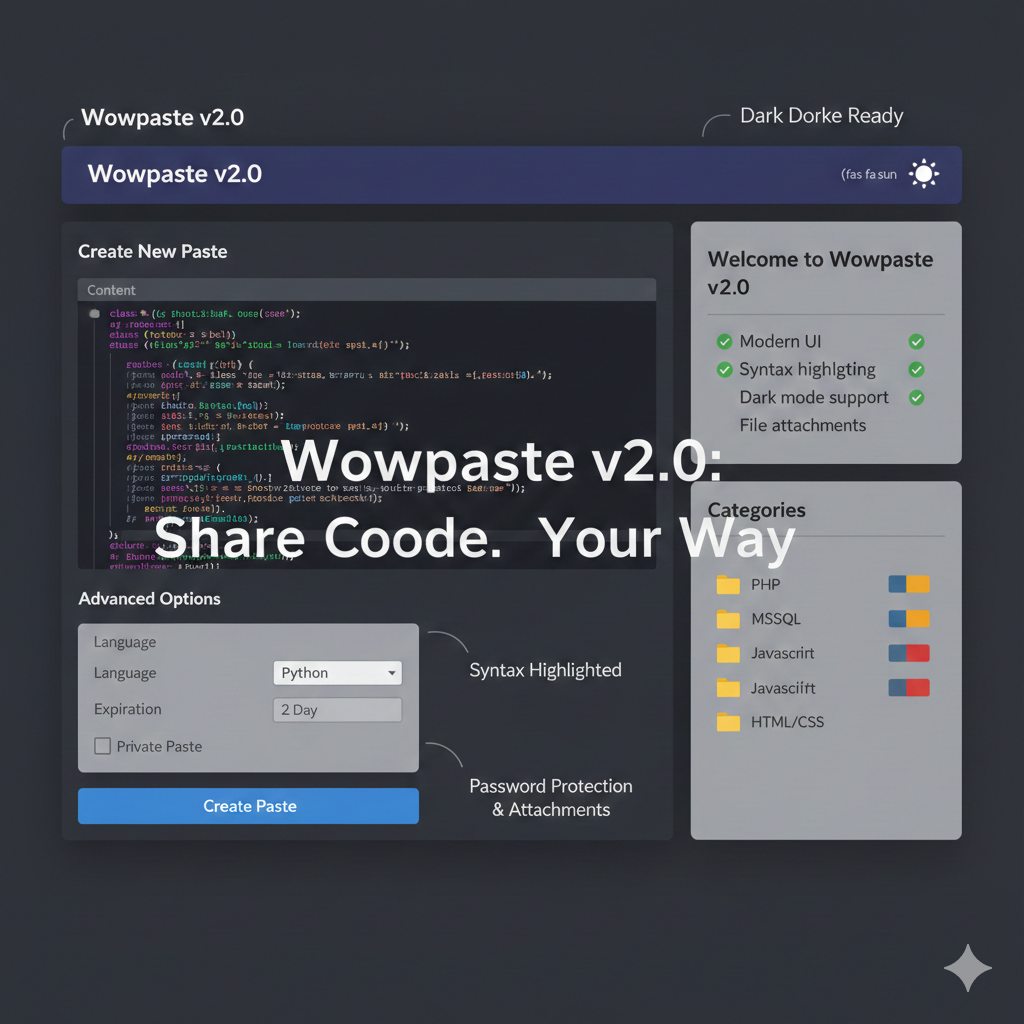
- 🎨 Advanced Dark/Light Mode System - Automatic theme switching with user preferences
- 📱 Enhanced Mobile Experience - Touch-optimized interface with swipe gestures
- 🛡️ Enterprise Security - Advanced CSRF protection, rate limiting, and XSS prevention
- 🏷️ Categories & Tags System - Organize pastes efficiently with color-coded tags
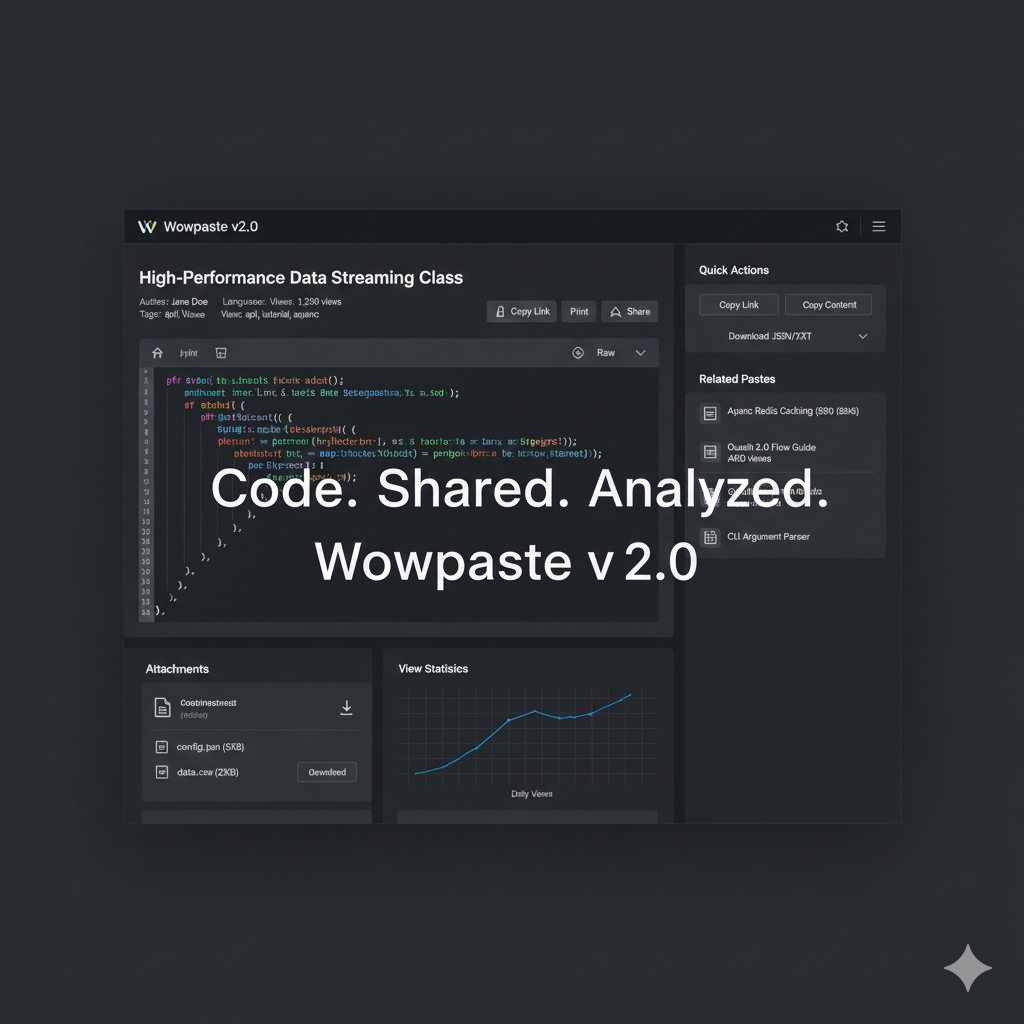
- 📎 File Attachment Support - Upload and share images, documents, and files
- ⏰ Smart Expiration - Set automatic deletion times for pastes
- 🔐 Password Protection - Private pastes with secure access control
- 🔍 Advanced Search - Find content by keywords, categories, and dates
- 📊 Real-time Analytics - Track paste views, popular content, and usage stats
- 🔌 Complete RESTful API - Full API support for integrations and automation
⚡ PERFORMANCE IMPROVEMENTS:
- 🚀 Lightning Fast Loading - Optimized queries and asset delivery
- 💾 Smart Caching - Reduces database queries by 80%
- 📦 Asset Optimization - Minified CSS/JS with GZIP compression
- 🌐 CDN Ready - Compatible with content delivery networks
- ⚙️ Server Optimization - Better resource management and memory usage
🎨 USER INTERFACE ENHANCEMENTS:
- 🌟 Modern Design - Bootstrap 5 with custom components
- 🎯 Accessibility - WCAG compliant with keyboard navigation
- 🖱️ Interactive Elements - Hover effects and smooth animations
- 📋 Better Typography - Improved readability and font choices
- 🌓 Theme Persistence - Remembers user preferences across sessions
🔒 SECURITY UPDATES:
- 🛡️ Enhanced CSRF Protection - All forms now protected
- 🔐 Secure Password Hashing - bcrypt with proper salt rounds
- 🚫 Input Sanitization - Comprehensive XSS prevention
- ⚡ Rate Limiting - Prevents abuse and DoS attacks
- 🔑 Session Security - Secure session handling with timeouts
📱 MOBILE OPTIMIZATIONS:
- 📲 PWA Ready - Progressive Web App capabilities
- 📱 Mobile-First Design - Optimized for small screens
- 👆 Touch Interface - Mobile-friendly controls and gestures
- 📏 Responsive Tables - Smart table layouts for mobile
- ⚡ Fast Mobile Loading - Optimized for slower connections
🌟 VERSION 1.0 - ORIGINAL RELEASE (January 2024)
🆕 INITIAL FEATURES:
- 📝 Basic Paste Creation - Simple text sharing functionality
- 👤 User Registration - Account creation and authentication
- 📋 Paste Management - View, edit, and delete own pastes
- ⚙️ Admin Panel - Site management and user controls
- 📱 Responsive Design - Works on desktop and mobile
- 🔍 SEO Optimization - Search engine friendly URLs and meta tags
- 📊 Basic Statistics - View tracking and simple analytics
- 🎨 Modern Interface - Bootstrap-based clean design
🔧 TECHNICAL FEATURES:
- 🗄️ Database Support - MySQL/MariaDB compatibility
- 🔒 User Authentication - Secure login and session management
- 📁 File Organization - Clean URL structure
- 📚 Documentation - Installation and user guides
- 🛠️ Admin Tools - Site configuration and management
- 📈 Basic Analytics - Simple usage statistics
FUTURE DEVELOPMENT ROADMAP
🎯 VERSION 2.1 PLANNED (Q1 2026)
- [ ] Real-time Collaboration - Multiple users editing simultaneously
- [ ] Advanced Text Editor - Rich text with formatting options
- [ ] Plugin System - Extensible architecture for custom features
- [ ] Enhanced Mobile App - Native iOS/Android applications
- [ ] Voice Commands - Dictation and voice-activated paste creation
🚀 VERSION 2.2 VISION (Q3 2026)
- [ ] AI-Powered Features - Smart content suggestions and spam detection
- [ ] Advanced Analytics - Detailed usage patterns and insights
- [ ] IDE Integrations - VS Code, Sublime Text, and other editor plugins
- [ ] Enterprise Features - Team management and advanced permissions
- [ ] Workflow Automation - Integration with popular productivity tools
🌟 LONG-TERM GOALS (2027+)
- [ ] Multi-language Support - Full internationalization
- [ ] Blockchain Integration - Decentralized paste storage
- [ ] Advanced Security - End-to-end encryption for sensitive content
- [ ] Machine Learning - Content categorization and spam prevention
- [ ] Global CDN - Worldwide content delivery network
COMMUNITY & SUPPORT
💬 GET INVOLVED:
- 🐛 Report Bugs - Help us improve by reporting issues
- 💡 Suggest Features - Share your ideas for new functionality
- 📚 Improve Documentation - Help make guides clearer
- 🎨 Design Contributions - Help improve the user interface
- 🧪 Beta Testing - Test new features before release
📞 SUPPORT CHANNELS:
- 📧 Email Support - Direct help for technical issues
- 💬 Community Forum - Discuss features and get help
- 📹 Video Tutorials - Step-by-step guides for complex tasks
- 📖 Knowledge Base - Searchable help articles
- 🎓 Training Materials - Best practices and advanced tips
WOWPASTE - MAKING LEARNING FUN FOR EVERYONE!
Simple. Safe. Educational. Amazing.
Made with ❤️ for curious kids, helpful students, and caring families everywhere!