Tiny Finch - Complete Description
Category: WordPress Plugins • Platform: PHP
Add the Tiny Finch live chat widget to your website and engage with visitors directly from your Slack workspace.
A tiny chat widget with a big voice
Tiny Finch is a lightweight live chat widget that connects your website visitors directly to your Slack workspace — no new tools, logins, or learning curves. It’s fast, easy, and efficient.
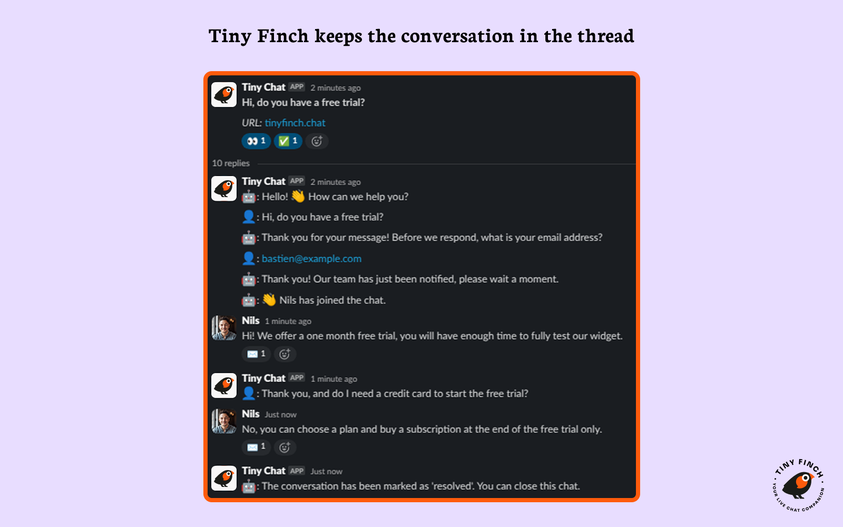
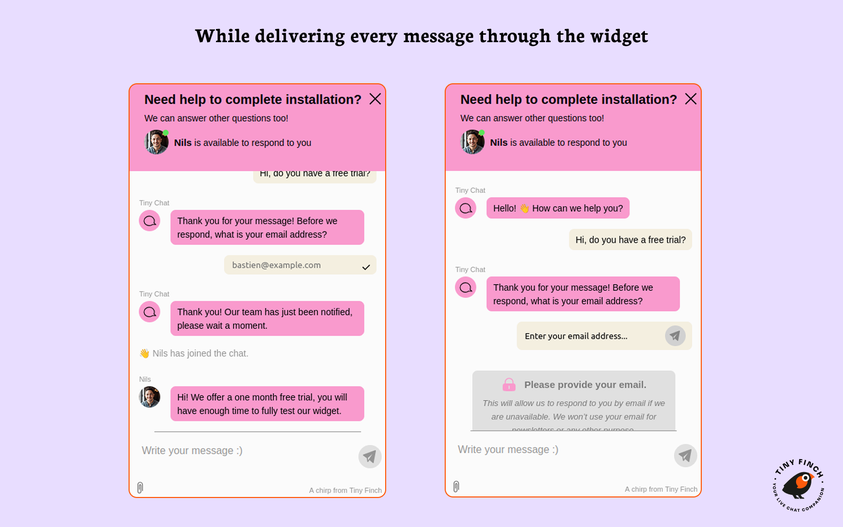
When you install Tiny Finch, we automatically create a dedicated Slack channel (#tinyfinch) in your workspace. Messages from your website visitors land there instantly. Just reply in a thread, and your message is delivered straight back to the widget in real time.
- Works with the Slack Free Plan
- No need for a standalone mobile app — manage chats on the go on your Slack workspace
- Add unlimited team members with no extra cost
- Add several profiles for your team to use Tiny Finch for different websites and purposes
What problem does Tiny Finch solve?
Live chat is one of the best ways to engage visitors, offer support, and close sales — but most solutions are expensive, bloated, or require learning new tools.
Tiny Finch keeps it simple:
* Installs in under 10 minutes with a single line of script
* No new dashboards to monitor — everything happens on your Slack workspace
* Affordable pricing with no limits on chats or users
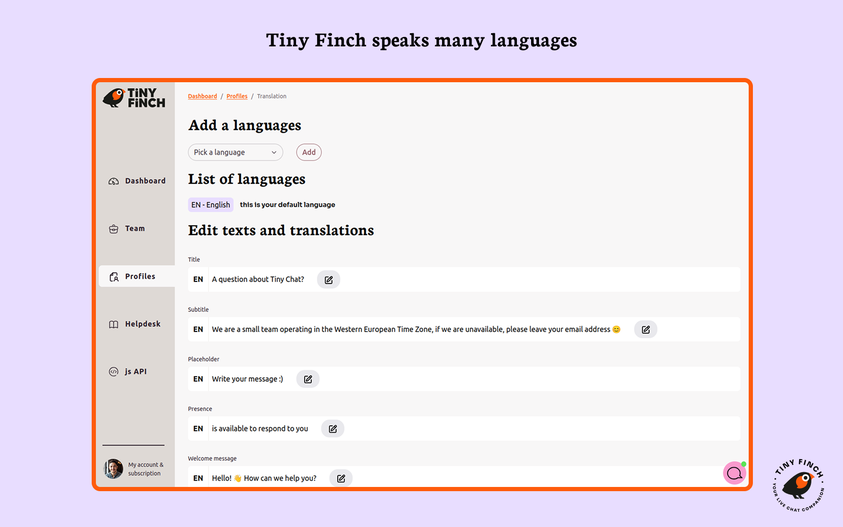
* Multiple languages, helpdesk articles, full customization, and GDPR compliance included
Features at a glance
- Multiple profiles for different websites or use cases
- Auto-detects and responds in visitors’ preferred language
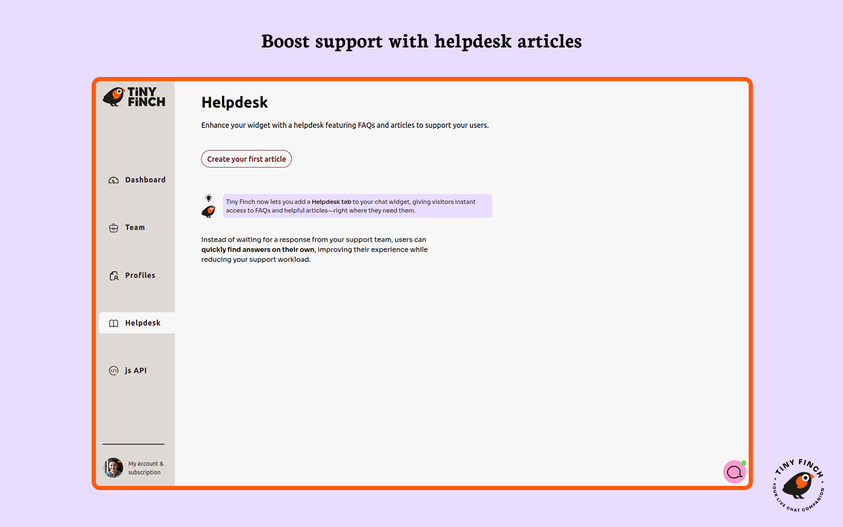
- Helpdesk articles shown right inside the widget
- JavaScript API and CSS for full customization
- Remove Tiny Finch branding on any paid plan
- Built and hosted in Europe — fully GDPR compliant
What to expect after installation
- Install the Tiny Finch app from the Slack Marketplace
- Install and activate the Tiny Finch WordPress plugin from your admin space
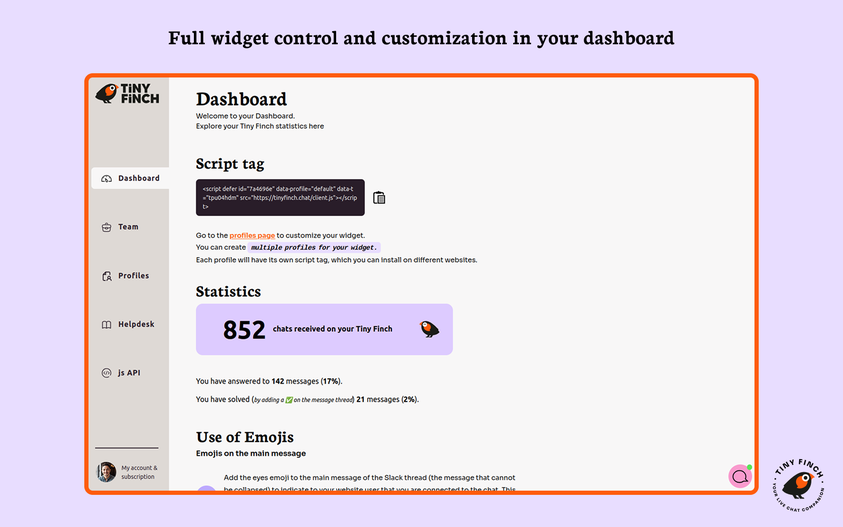
- Customize the widget to fully match your brand from the Tiny Finch dashboard
- Visitors message you from the widget
- You reply in Slack threads — instantly and effortlessly
Why people love Tiny Finch
I wanted to have a LiveChat Widget on my website which i can control via my phone from anywhere without having to install another app or anything else, so using slack is perfect
— KohlMedia
I run a website with German and French audiences, and Tiny Finch makes it easy to communicate in both languages.
— alexchouraki
I absolutely love Tiny Finch! The tool is powerful and versatile, and the service was exceptional.
— jacqui38
Gem!
— TimTim
Need help or have questions?
Chat with us using our own Tiny Finch widget or email us at contact@tinyfinch.chat
Try Tiny Finch free for a month — no credit card required. Cancel anytime.
Add it to your Slack workspace and start chatting today!
Configuration
An account and an active subscription (trialing or paying) is necessary to use the Tiny Finch service.
First go to https://tinyfinch.chat to register.
- Go to the “Settings” menu and click on “TinyFinch Settings”.
- Enter your Tiny Finch “Team ID” and “Profile name” available in your Tiny Finch Dashboard.
- Save your changes.
The Tiny Finch chat widget now appears on your website.
External services
This plugin interacts with the API of the Tiny Finch service, first to display the chat widget corresponding to your customization, then to handle messages sent and received by your website visitors. These messages are then forwarded to the Slack service for you to manage them inside your Slack Worskpace.
This service is provided by Tiny Finch, a software made by Prune: terms of use, privacy policy, legal notice.
Slack is a trademark and service mark of Slack Technologies, Inc., registered in the U.S. and in other countries.