Soft Video Gallery - Complete Description
Category: WordPress Plugins • Platform: PHP
Soft Video Gallery is a lightweight yet powerful WordPress plugin that lets you create beautiful, responsive video galleries using MP4 videos uploaded to your WordPress media library.
It is perfect for portfolios, tutorials, product demos, and video showcases. No external video services required.
Key Features
🎥 MP4 Video Support
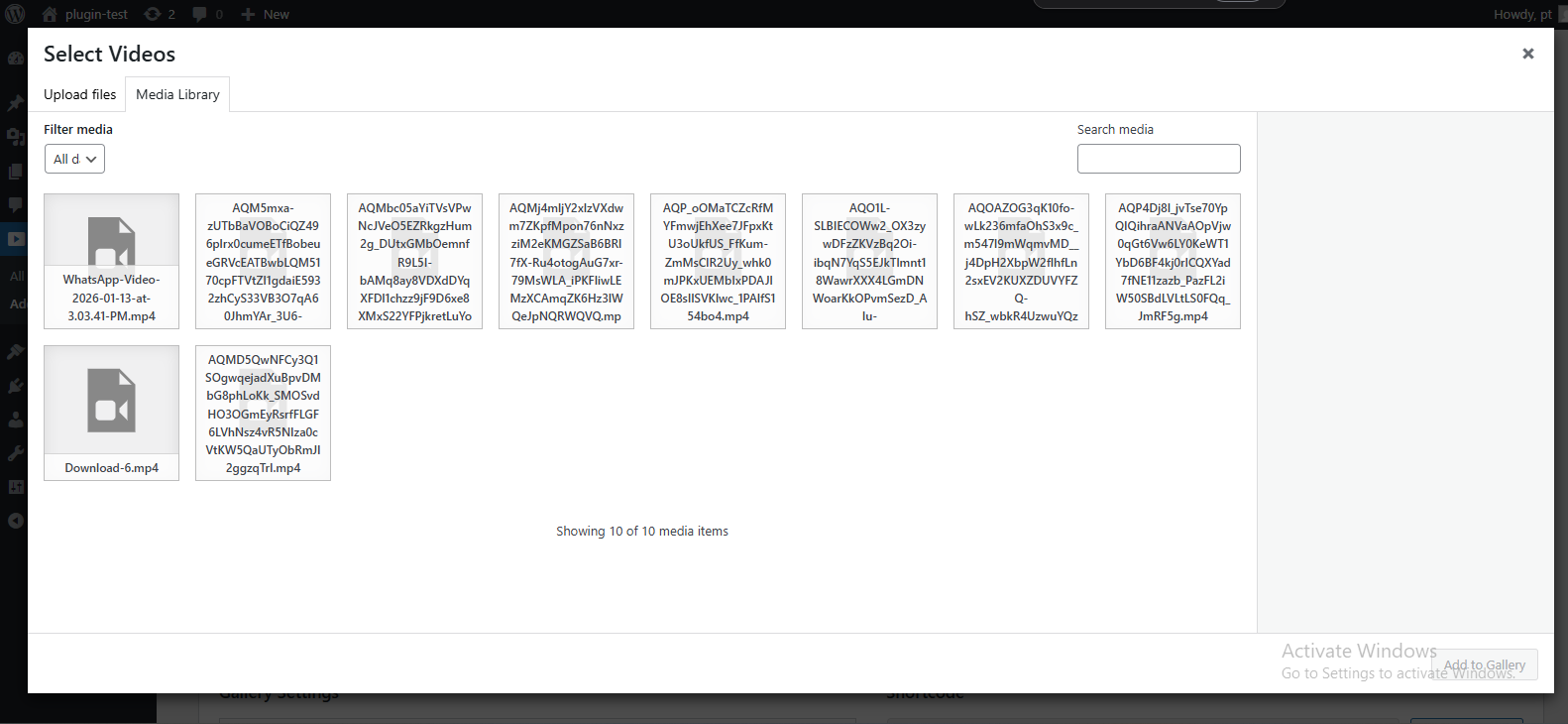
Upload and display MP4 videos directly from the WordPress media library.
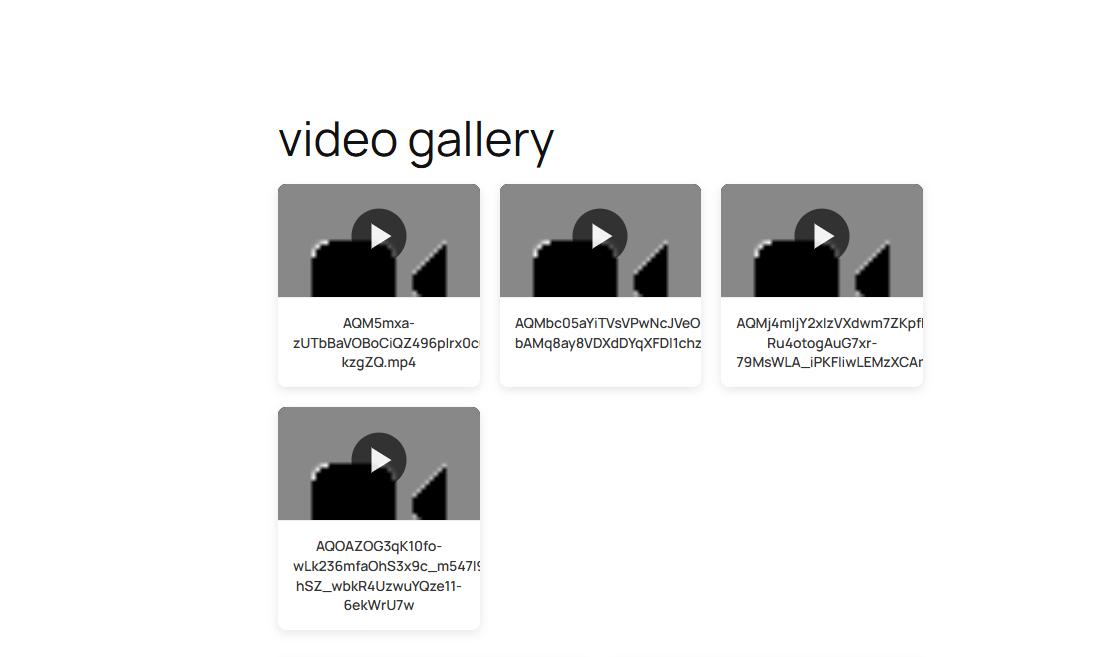
🖼️ Automatic Video Thumbnails
Uses WordPress-generated thumbnails automatically—no manual setup required.
📱 Fully Responsive Layout
Looks great on desktop, tablet, and mobile devices.
⚙️ Customizable Gallery Settings
Control columns, thumbnail size, autoplay, loop, and lightbox behavior.
🔄 Drag & Drop Video Sorting
Easily reorder videos using a simple drag-and-drop interface.
📋 Unlimited Galleries
Create and manage unlimited video galleries.
🎯 Shortcode Support
Embed galleries anywhere using shortcodes.
🔍 Lightbox Video Player
Optional modal lightbox for immersive video playback.
📊 Flexible Column Layouts
Choose between 1 to 6 columns.
🗑️ Duplicate & Delete Galleries
Quickly manage galleries with duplicate and delete options.
Video Player Features
- Play / Pause controls
- Volume control
- Fullscreen mode
- Playback speed (0.5x, 1x, 1.5x, 2x)
- Keyboard controls (Space, Arrow keys, Escape)
- Autoplay (mute supported)
- Loop videos
Creating Your First Gallery
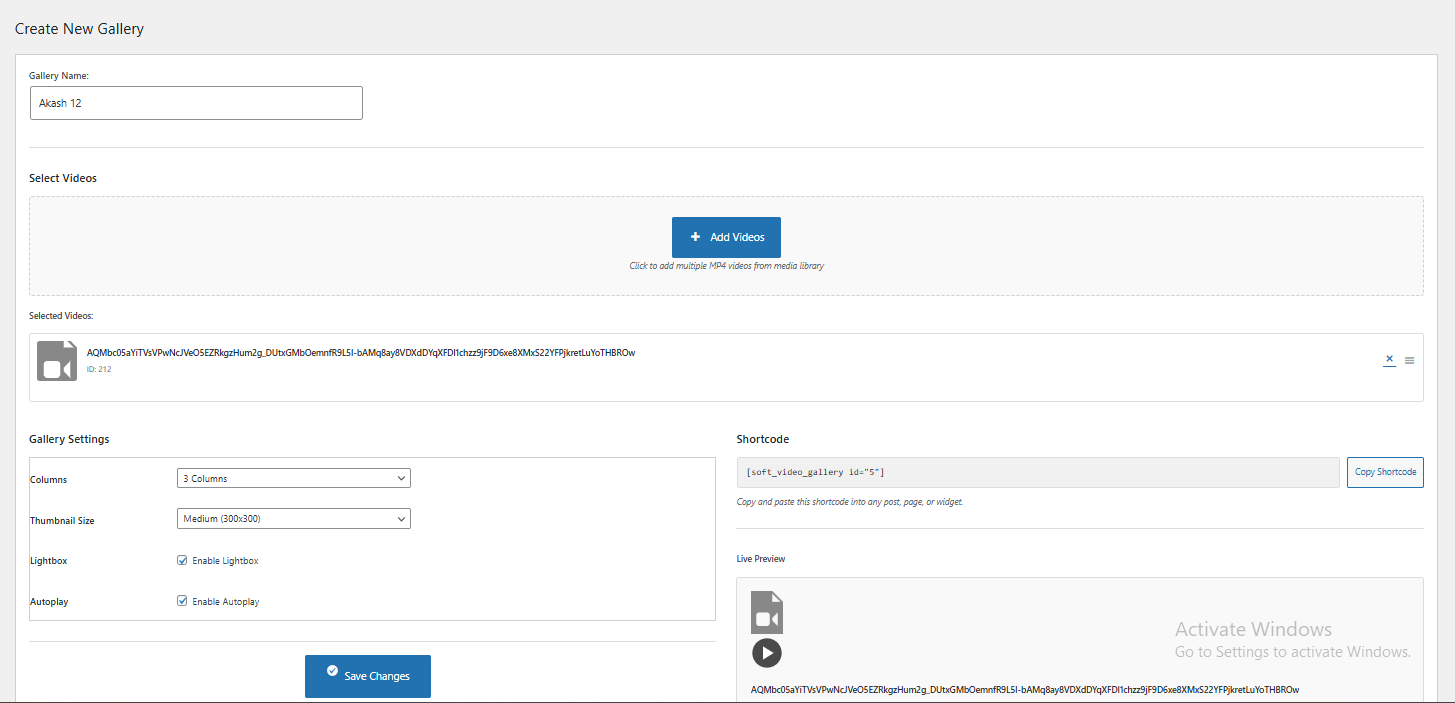
- Go to Video Gallery Add New in the WordPress admin
- Enter a gallery title
- Click Add Videos and select MP4 videos from the media library
- Configure gallery settings:
- Columns (1–6)
- Thumbnail size
- Lightbox enable/disable
- Autoplay & loop options
- Click Save Gallery
- Copy the generated shortcode
Embedding a Gallery
You can paste the shortcode into:
- Any post or page (Gutenberg or Classic Editor)
- Widgets (Text or Shortcode widget)
- Theme template files:
Requirements
- WordPress 5.0 or higher
- PHP 7.2 or higher
- MP4 (video/mp4) format
- WordPress media uploads enabled
Video Requirements
- Format: MP4 (video/mp4)
- File Size: Depends on your server configuration
- Thumbnails: Automatically generated by WordPress