Smart Cycle Discounts - Complete Description
Category: WordPress Plugins • Platform: PHP
Smart Cycle Discounts is a WooCommerce discount rules and dynamic pricing plugin with campaign scheduling, bulk discount management, and percentage discounts. Create tiered pricing, BOGO deals, quantity discounts, and flash sales with a 5-step wizard. Useful for store owners who need to schedule seasonal sales, manage multiple discount campaigns, and automate product pricing strategies.
Smart Cycle Discounts provides campaign-level control with built-in scheduling, priority management, and health monitoring.
Free Version Features
Campaign Management:
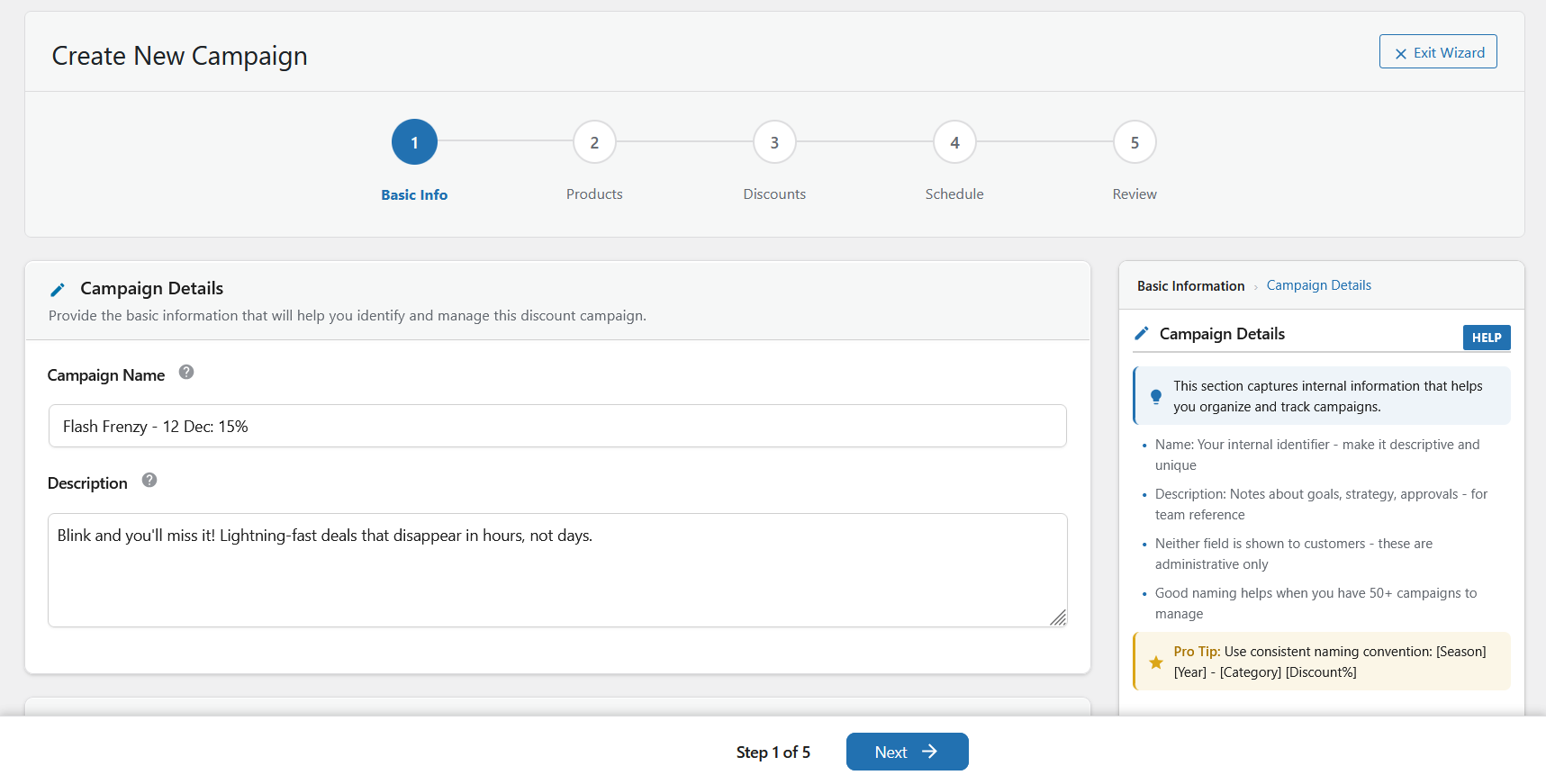
* 5-Step Campaign Wizard – Guided workflow (Basic Info Products Discounts Schedule Review)
* Unlimited Campaigns – Create and run as many campaigns as you need
* Priority System – Control which campaigns take precedence with 1-5 priority levels
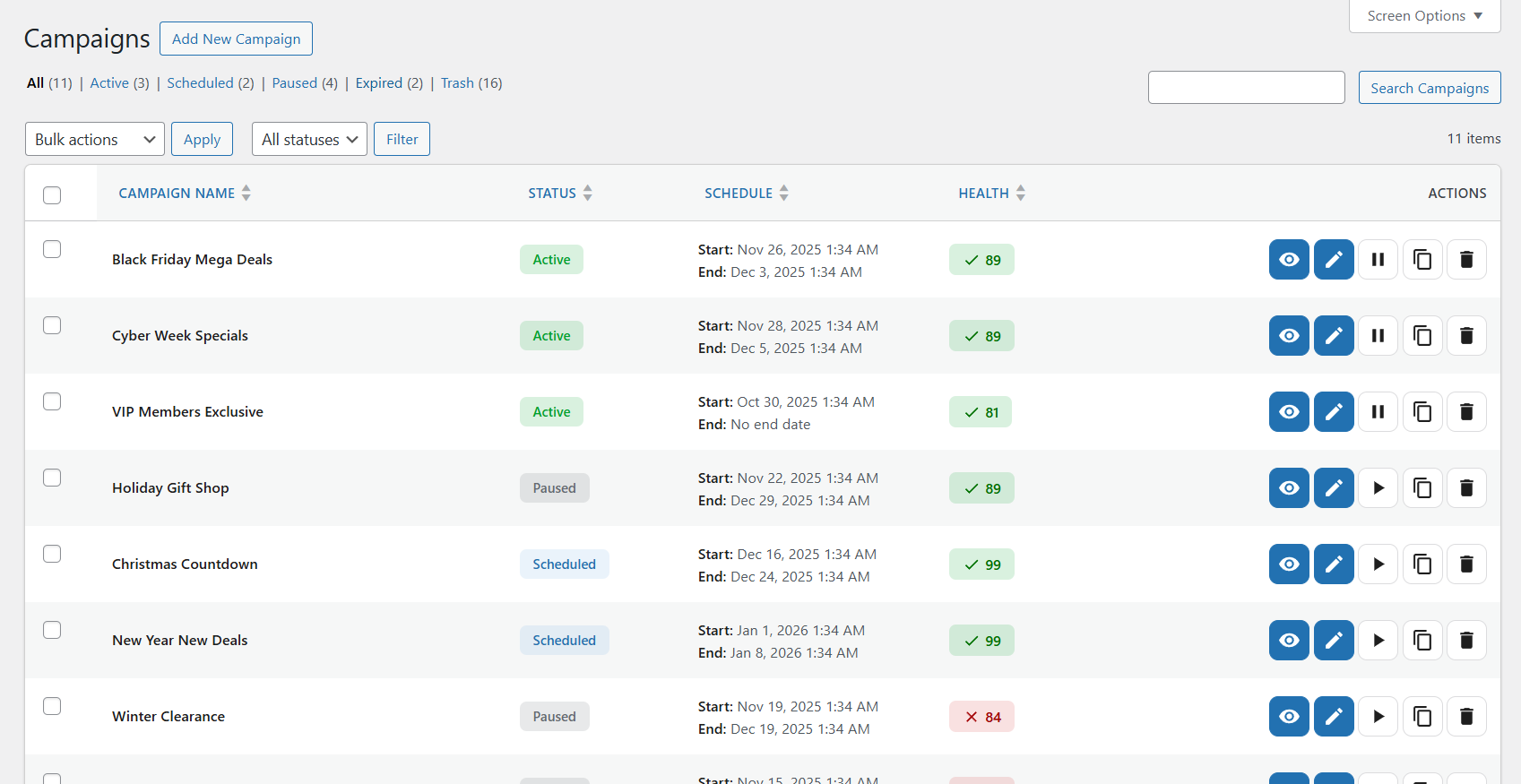
* Bulk Actions – Enable, disable, duplicate, or delete multiple campaigns at once
* Campaign Health Monitoring – Real-time validation and health scoring
Product Selection:
* All Products Mode – Apply discounts to your entire catalog
* Specific Products Mode – Hand-pick products with AJAX-powered search by name, SKU, or ID
* Random Products Mode – Automatically select X random products from your catalog
Discount Types (Free):
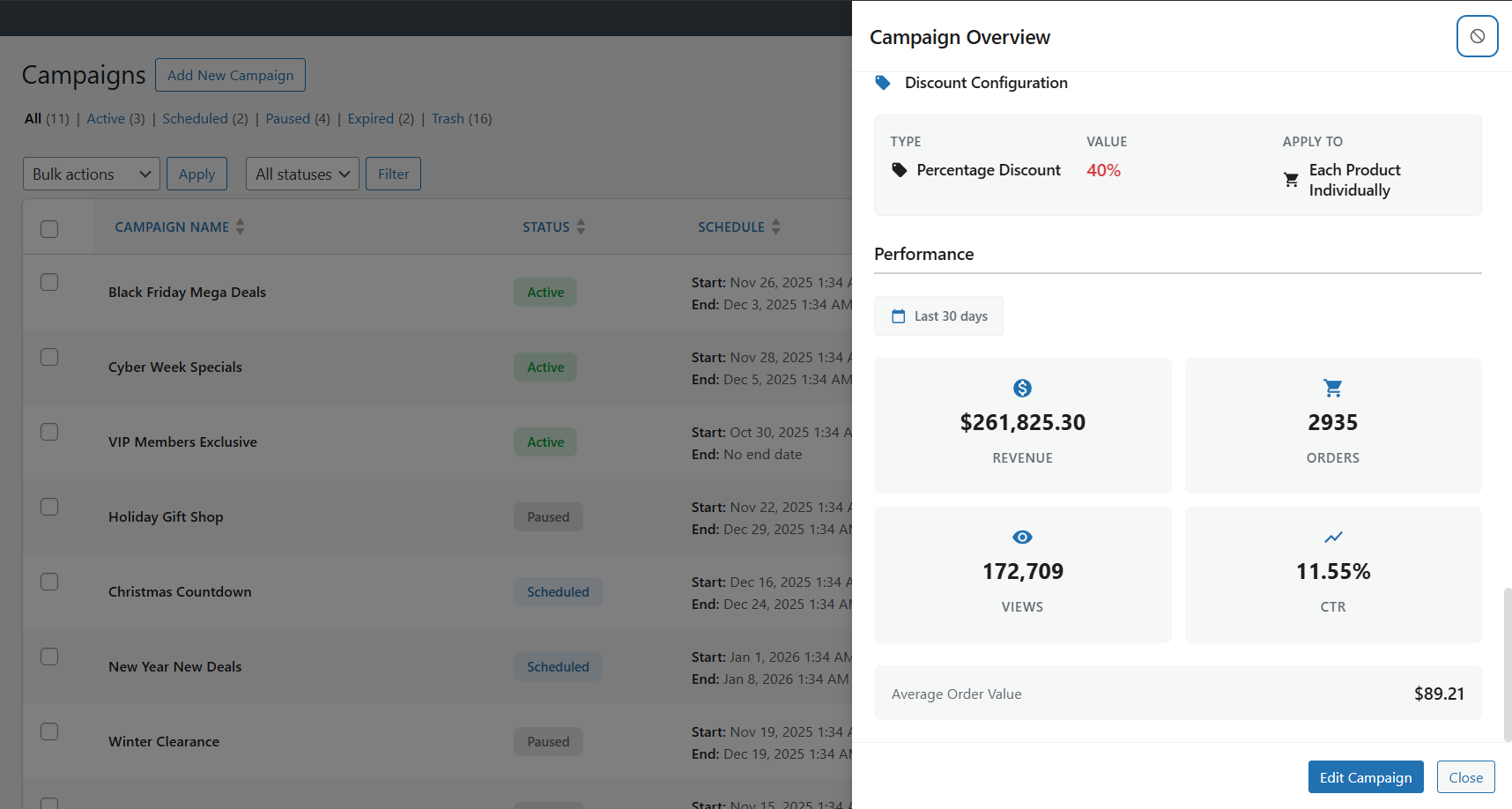
* Percentage Discounts – Set percentage off (e.g., 25% off)
* Fixed Amount Discounts – Set fixed dollar/currency amount off (e.g., $10 off)
Scheduling & Automation:
* Advanced Scheduling – Set start/end dates, specific times, and timezone-aware scheduling
* Automatic Activation – Campaigns activate and deactivate automatically based on schedule
* Draft & Scheduled Status – Prepare campaigns in advance
Technical Features:
* HPOS Compatible – Full support for WooCommerce High-Performance Order Storage
* Performance Optimized – Efficient database queries with caching for large catalogs
* Security First – Nonce verification, capability checks, sanitization throughout
* WordPress Standards – Follows WordPress and WooCommerce coding standards
Premium Features (Pro Version)
Upgrade to Smart Cycle Discounts Pro for advanced discount types and analytics:
Advanced Discount Types:
* Tiered Volume Pricing – Quantity-based discount tiers (e.g., Buy 5 get 10% off, Buy 10 get 20% off)
* Buy One Get One (BOGO) – Flexible BOGO configurations with percentage discounts
* Spend Threshold Discounts – Cart total-based discounts (e.g., Spend $100 get 15% off)
Discount Control:
* Usage Limits – Control discount availability with per-customer limits, total redemption caps, and lifetime thresholds
* Application Rules – Define how discounts apply – all items, cheapest only, most expensive, or first X items
* Combination Policy – Set whether discounts stack with other promotions or run exclusively
Advanced Product Selection:
* Advanced Product Filters – Smart Selection mode with Best Sellers, Featured Products, Low Stock, and New Arrivals
Analytics & Reporting:
* Analytics Dashboard – Detailed performance metrics and insights
* Custom Date Ranges – Filter analytics by any custom date period for flexible reporting
* Traffic Breakdown – Source and device analytics
* Geographic Data – Location-based campaign performance
* Export Features – CSV and JSON export with scheduled reports
Advanced Notifications:
* Proactive Alerts – Campaign ending warnings (24 hours before)
* Performance Monitoring – Smart alerts for underperforming campaigns
* Daily & Weekly Reports – Automated email reports with insights
* Low Stock Alerts – Get notified when discounted products run low
* Milestone Notifications – Celebrate campaign achievements
Professional Support:
* Priority Support – Get help faster with dedicated support queue
* API Access – Programmatic campaign management via REST API
Use Cases
- Seasonal Sales – Schedule Black Friday, Christmas, or Summer clearance campaigns in advance
- Flash Sales – Time-limited discounts with specific start/end dates and times
- Random Promotions – Rotate discounts across different products automatically
- Bulk Discounts – Apply discounts to hundreds of products simultaneously
- Priority Management – Run multiple campaigns with controlled priority to avoid conflicts
Performance & Architecture
- Service Container & DI – Modern dependency injection architecture
- Efficient Database Layer – Custom query optimization with prepared statements
- Asset Management System – Intelligent script/style loading only where needed
- Modular Wizard System – Step-based architecture with state management
- AJAX-Powered UI – Fast, responsive admin interface without page reloads
- Scales Efficiently – Handles thousands of products with optimized queries
Developer Friendly
- Extensive Hooks – Actions and filters throughout for customization
- Well-Documented Code – Comprehensive PHPDoc blocks and inline comments
- Modular Architecture – MVC pattern with separated concerns
- REST API Ready – API endpoints for external integrations (Pro)
Getting Started
Create Your First Campaign in 5 Minutes
After activating the plugin, you’ll see a new “Campaigns” menu item in your WordPress admin sidebar. Here’s how to create your first discount campaign:
Step 1: Launch the Campaign Wizard
- Click Campaigns > Create Campaign in your WordPress admin sidebar
- The 5-step Campaign Wizard will open in fullscreen mode
Step 2: Configure Basic Information
- Campaign Name: Enter a descriptive name (e.g., “Summer Sale 2025”)
- Description: Add notes about the campaign (optional, for internal reference)
- Priority: Set priority level 1-5 (5 is highest)
- Use priority when running multiple campaigns simultaneously
- Higher priority campaigns override lower priority ones on the same product
- Click Next to continue
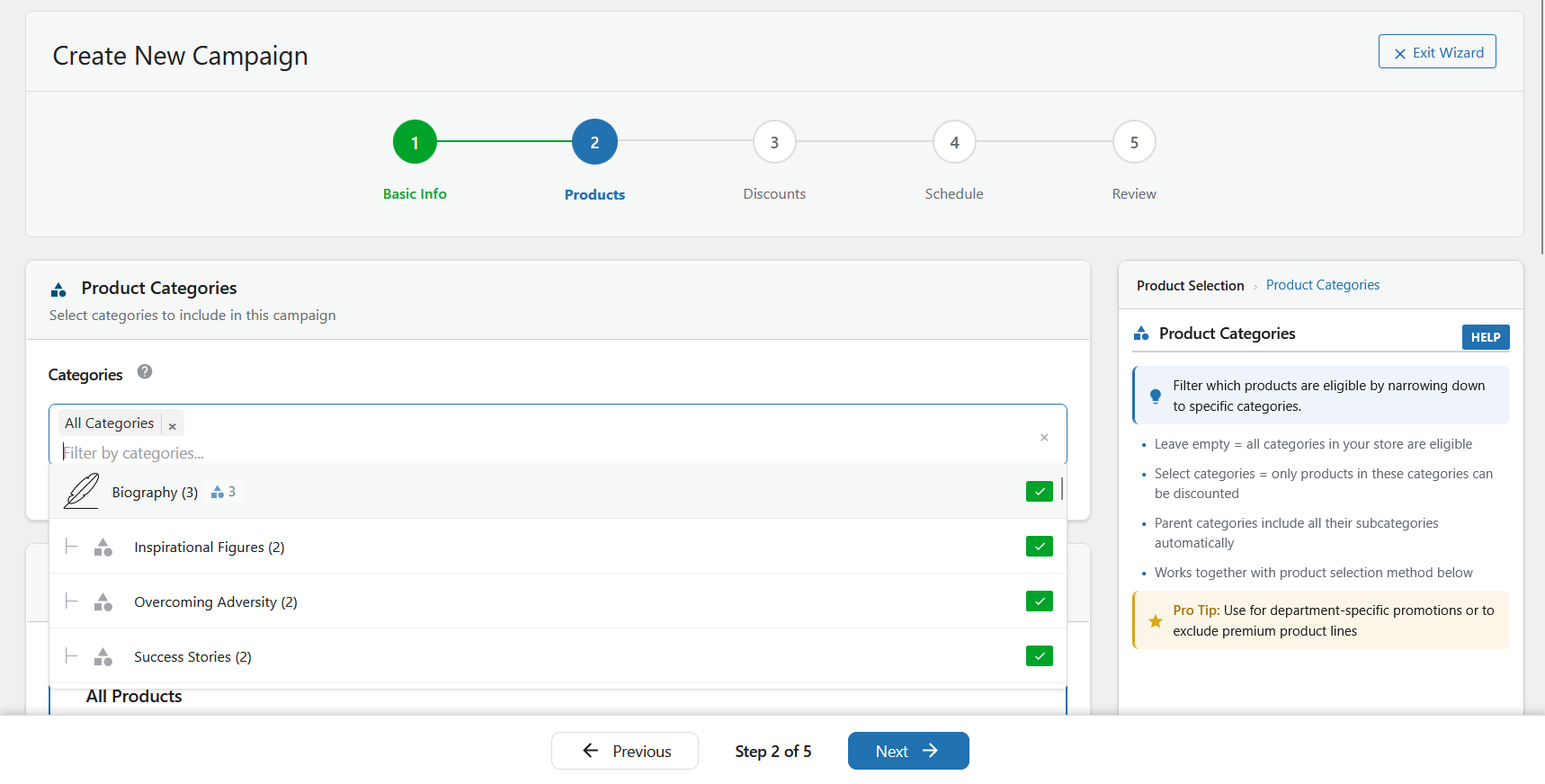
Step 3: Select Products
Choose which products to discount:
- All Products: Apply discount to your entire catalog
- Specific Products: Use the search box to find and select individual products
- Search by product name, SKU, or ID
- Click products to add/remove from selection
- Selected count shows at the bottom
- Random Products: Automatically select X random products from your catalog
- Set how many products to discount
- Products are randomly selected each time the campaign runs
Click Next when products are selected.
Step 4: Configure Discount
Choose your discount type:
Free Version:
* Percentage Discount: Enter percentage (e.g., 25 for 25% off)
* Fixed Amount: Enter fixed discount amount (e.g., 10.00 for $10 off)
Pro Version Only:
* Tiered Discount: Create quantity-based pricing tiers
* BOGO: Configure Buy One Get One offers
* Spend Threshold: Discount based on cart total
Click Next to continue.
Step 5: Schedule Campaign
- Start Date & Time: When campaign should begin
- End Date & Time: When campaign should end (optional – leave blank for no end date)
- Timezone: Select your timezone (defaults to WordPress timezone)
- Recurring (Pro): Set daily, weekly, or monthly recurring patterns
- Status: Set initial status (Draft, Scheduled, or Active)
Click Next to review.
Step 6: Review & Create
- Review all campaign settings in the sidebar
- Check the Campaign Health indicator (shows any potential issues)
- Click Create Campaign to activate your discount campaign
That’s it! Your discount campaign is now live and automatically applying to the selected products.
Managing Campaigns
Access the Campaigns page to:
- View All Campaigns: See status, priority, products, and schedule at a glance
- Bulk Actions: Enable, disable, duplicate, or delete multiple campaigns
- Quick Edit: Click campaign name to edit settings
- Duplicate: Clone existing campaign to create similar ones quickly
- Campaign Health: Monitor issues and optimization opportunities
Common Use Cases
Flash Sale (Time-Limited)
1. Select “Specific Products” or “All Products”
2. Set percentage discount (e.g., 30%)
3. Set start/end date and time
4. Status: Scheduled (activates automatically)
Weekend Sale (Recurring – Pro)
1. Select products to discount
2. Set percentage discount
3. Choose “Weekly” recurring pattern
4. Select Saturday & Sunday
5. Set start time Friday 12:01 AM, end time Sunday 11:59 PM
Seasonal Sale (Long-Running)
1. Select “All Products” or specific categories
2. Set percentage discount
3. Set start date (e.g., Dec 1) and end date (e.g., Dec 31)
4. Priority: 3 (medium) to allow other campaigns to override if needed
Need Help?
- Documentation: Visit our documentation site
- Support Forum: Get help at WordPress.org support forum
- Video Tutorial: Watch our 5-minute video tutorial
External services
This plugin connects to external services for licensing, updates, and optional email delivery. Below is a complete list of all external services used, including the specific domains contacted.
Freemius (License Management)
This plugin uses Freemius for license management, plugin updates, and optional usage analytics.
- Service provider: Freemius, Inc.
- Domains contacted: api.freemius.com, wp.freemius.com, checkout.freemius.com, users.freemius.com
- What it does: Handles Pro license activation/deactivation, delivers plugin updates, processes payments via secure checkout, and collects anonymous usage data (if opted-in)
- When data is sent: On plugin activation, license validation, update checks, Pro checkout, and if you opt-in to usage tracking
- What data is sent: Site URL, plugin version, license key (if Pro), WordPress version, PHP version, and anonymous usage statistics (only if opted-in)
- Terms of Service: https://freemius.com/terms/
- Privacy Policy: https://freemius.com/privacy/
Plugin Feedback API (Optional)
When deactivating the plugin, you may optionally provide feedback to help us improve.
- Service provider: Webstepper
- Domain contacted: api.smartcyclediscounts.com
- What it does: Collects optional deactivation feedback to improve the plugin
- When data is sent: Only when you choose to submit the optional deactivation feedback form during plugin deactivation
- What data is sent: Feedback reason, site URL, WordPress version, WooCommerce version, PHP version, plugin version, and basic usage statistics (number of campaigns created)
- Terms of Service: https://webstepper.io/terms/
- Privacy Policy: https://webstepper.io/privacy/
SendGrid Email API (Optional)
This plugin can optionally connect to the SendGrid API to send email notifications about your discount campaigns.
- Service provider: Twilio SendGrid
- Domain contacted: api.sendgrid.com
- What it does: Delivers email notifications (campaign started, campaign ended, performance alerts)
- When data is sent: Only when you configure SendGrid as your email provider in Settings > Email Notifications AND an email notification is triggered by campaign events
- What data is sent: Recipient email address, email subject, and email body content (campaign status information only – no customer personal data is transmitted)
- Terms of Service: https://www.twilio.com/legal/tos
- Privacy Policy: https://www.twilio.com/legal/privacy
Amazon SES Email API (Optional)
This plugin can optionally connect to Amazon Simple Email Service (SES) to send email notifications about your discount campaigns.
- Service provider: Amazon Web Services
- Domain contacted: email.[region].amazonaws.com (where [region] is your configured AWS region, e.g., email.us-east-1.amazonaws.com)
- What it does: Delivers email notifications (campaign started, campaign ended, performance alerts)
- When data is sent: Only when you configure Amazon SES as your email provider in Settings > Email Notifications AND an email notification is triggered by campaign events
- What data is sent: Recipient email address, email subject, and email body content (campaign status information only – no customer personal data is transmitted)
- Terms of Service: https://aws.amazon.com/service-terms/
- Privacy Policy: https://aws.amazon.com/privacy/
Important: All external services except Freemius (required for licensing) are completely optional. The plugin works fully without configuring SendGrid or Amazon SES. The Plugin Feedback API is only contacted if you explicitly choose to submit feedback during deactivation. No email data is transmitted unless you explicitly enable and configure email integrations in Settings > Email Notifications.
Additional Information
Support & Documentation
- Official Website: https://webstepper.io
- Plugin Page: https://webstepper.io/wordpress-plugins/smart-cycle-discounts
- WordPress.org Page: https://wordpress.org/plugins/smart-cycle-discounts/
- Support Forum: https://wordpress.org/support/plugin/smart-cycle-discounts/
- Email Support: contact@webstepper.io
- Rate this plugin: https://wordpress.org/support/plugin/smart-cycle-discounts/reviews/
Privacy & Data Collection
Smart Cycle Discounts stores all campaign data locally in your WordPress database. The plugin does not collect or transmit customer personal data to external services.
For complete details about external services used by this plugin (licensing, updates, and optional email delivery), please see the “External services” section above.
This plugin respects your privacy and follows WordPress.org privacy guidelines.