Sticky Block for Gutenberg Editor application icon

Sticky Block for Gutenberg Editor

0.0 out of 5.0 (0 reviews)

Download from External Source

You will be redirected to a waiting page.

App Information

Category: Development

Platform: WordPress Plugins

Version: 1.11.1

License: Free

Downloads: 0

Views: 37

Released: Jan 14, 2026

Last Updated: Feb 27, 2026

Available Versions
v1.11.1
Released: Jan 14, 2026
Download v1.11.1

Sticky Block for Gutenberg Editor - Complete Description

Category: Development Platform: WordPress Plugins

Summary

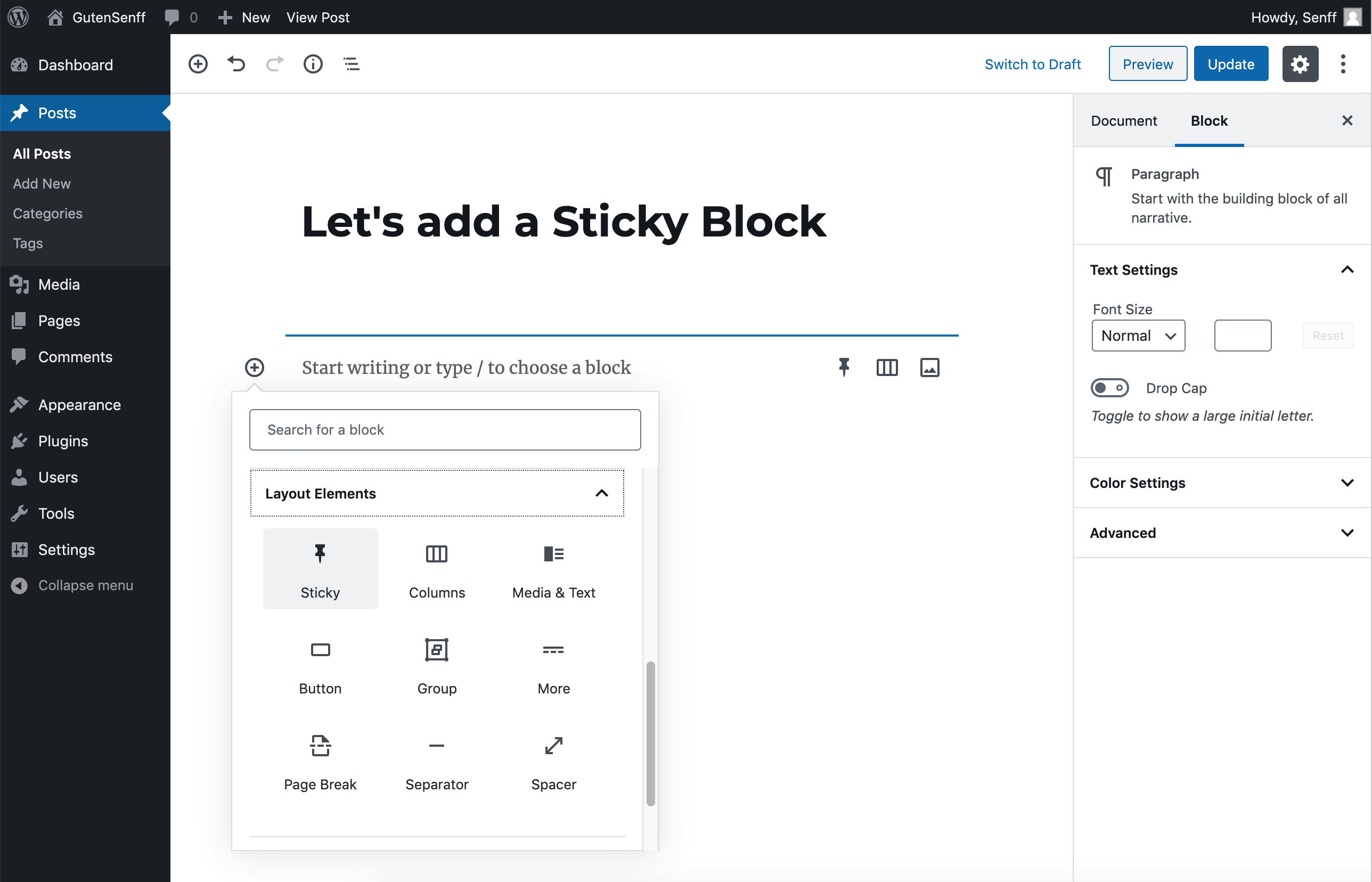
The Gutenberg Sticky Block can be added to any Post or Page and will be sticky as soon as it hits the top of the page after you scroll down. The Sticky Block can contain any other Blocks (Paragraphs, Images, etc.), and can also be used in other Blocks (e.g. Column or Table).

The main principle is the same as my Sticky Menu (Or Anything) plugin, and the basic code of that plugin has been used in this Sticky Block plugin as well. If you want to make anything sticky outside of the content area (e.g navigation menu, widgets), use the Sticky Menu (Or Anything) plugin instead of Sticky Block.

Featured BLOCK OF THE WEEK (Sep 16, 2021).

Features

  • Any Block can be added inside the Sticky Block: the Sticky Block works as a “wrapper” or “grouping” block, that can hold every other type of Block.
  • The Sticky Block can be added inside other Blocks: any block that works as a “wrapper” (such as the Columns Block or the Table Block) can also hold a Sticky Block.
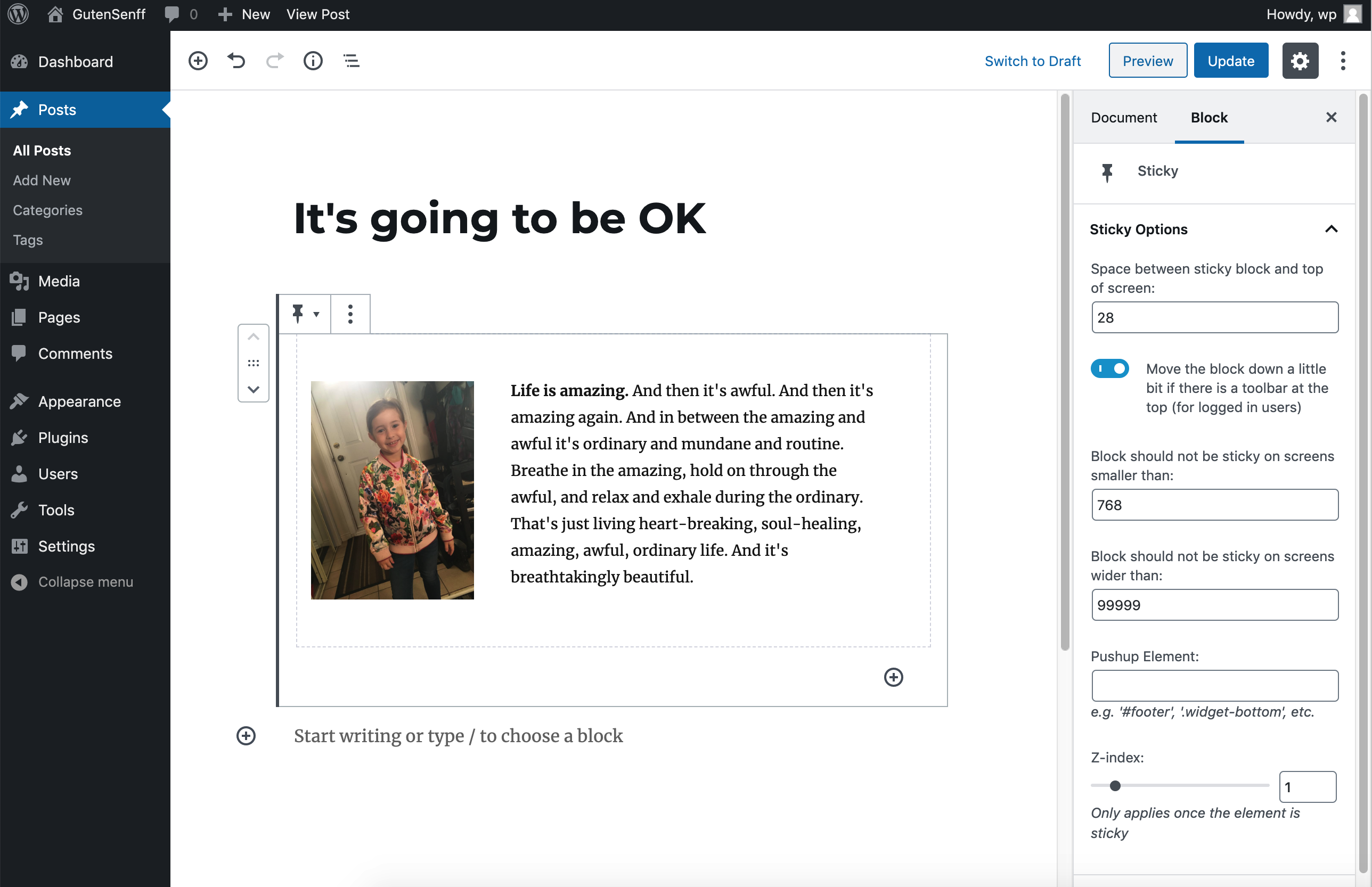
  • Positioning from top (optional): you can add any amount of space between the Sticky Block and the top of the page, so that the element is not always stuck at the “ceiling” of the page.
  • Enable for certain screen sizes only (optional): you can set a minimum and/or maximum screen size where the stickiness should work. This can be handy if you have a responsive site and you don’t want your Block to be sticky on smaller screens, for example.
  • Push-up element (optional): you can pick any other element lower on the page that will push the Sticky Block up again (for example a footer, or even another Sticky Block).
  • Admin Bar aware: checks if the current user has an Admin Toolbar at the top of the page. If it has, the Sticky Block will not obscure it (or be obscured by it).
  • Z-index: in case there are other elements on the page that obscure or peek through your Sticky Block, you can add a Z-index easily. This will only be applied once the Block is sticky.
Sticky Block for Gutenberg Editor - Screenshots & Visual Gallery

Visual preview of Sticky Block for Gutenberg Editor interface and features

37
Views
0
Downloads
0.0
Rating
1.11.1
Version

User Reviews & Ratings for Sticky Block for Gutenberg Editor

Real user experiences and feedback about Sticky Block for Gutenberg Editor application

0.0

Based on 0 reviews

Submit Your Review

Reviews
No reviews yet

Be the first to review Sticky Block for Gutenberg Editor!

Frequently Asked Questions About Sticky Block for Gutenberg Editor

Common questions and answers about Sticky Block for Gutenberg Editor for WordPress Plugins users

Sticky Block for Gutenberg Editor is a leading development application designed specifically for wordpress plugins platforms. Developed by Senff - a11n, this powerful wordpress plugins software offers exceptional functionality and user experience. The application has earned a 0 star rating from users and stands out among other development tools in the market.

Downloading Sticky Block for Gutenberg Editor is simple and secure. Click the prominent download button on this page to get the latest version v1.11.1. This free download includes all features and works perfectly on wordpress plugins devices. The download process is fast, safe, and completely free of charge.

Sticky Block for Gutenberg Editor is optimized for wordpress plugins compatibility and works seamlessly across different versions. The application is lightweight, efficient, and designed to run smoothly on most wordpress plugins systems. For the best experience, ensure your device meets the minimum requirements outlined in the application description.

Yes, Sticky Block for Gutenberg Editor is available as a completely free application. You can download, install, and use all features without any cost. The development software comes with full functionality, regular updates, and ongoing support from the developer Senff - a11n.

Sticky Block for Gutenberg Editor stands out among development applications for its superior performance, user-friendly interface, and comprehensive feature set. Unlike other development software, it offers better integration with wordpress plugins systems and consistently delivers reliable results.

Sticky Block for Gutenberg Editor combines innovation, reliability, and ease of use in one comprehensive development solution. Developed by the experienced team at Senff - a11n, this wordpress plugins application offers features that competitors simply cannot match. With a 0/5.0 user rating and thousands of satisfied users, it's proven to be the top choice for development needs.