Countdown Timer – Widget Countdown application icon

Countdown Timer – Widget Countdown

0.0 out of 5.0 (0 reviews)

Download from External Source

You will be redirected to a waiting page.

App Information

Category: Development

Platform: WordPress Plugins

Version: 2.7.8

License: Free

Downloads: 0

Views: 33

Released: Dec 23, 2025

Last Updated: Feb 26, 2026

Available Versions
v2.7.8
Released: Dec 23, 2025
Download v2.7.8

Countdown Timer – Widget Countdown - Complete Description

Category: Development Platform: WordPress Plugins

Our WordPress Countdown plugin allow website owners to create nice and functional timer just in a few minutes. This is the best way to create beautiful Timers for your users.
You can use our plugin in your posts/pages and widgets. It’s very easy to use and there isn’t any need of coding knowledge.

View our plugin Demo page:

Our plugin have a lot of useful features that you will like.

Features of Free version

  • Easy install and use
  • Works perfectly with all versions of WordPress
  • Fully Responsive
  • Ability to create unlimited Timers
  • Ability to use on pages/posts and widgets
  • Ability to type your own text in day, hour, minute and second fields
  • Ability to select the action after time expired
  • Ability to type message after time expired
  • Ability to choose the position
  • Ability to type the distance from top/bottom
  • Uses CSS3
  • User friendly back-end
  • Tested on popular WordPress themes

You can upgrade the free version to WordPress Countdown Pro to add some features.

The features of Pro version

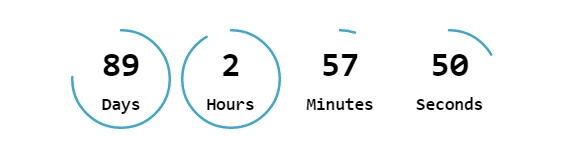
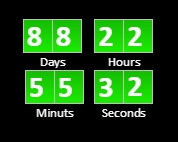
  • Ability to use Timer with “Circle” and “Vertical Slider” buttons
  • Ability to choose the text color
  • Ability to choose the background color
  • Ability to type the size
  • Ability to type the border width and radius
  • Ability to type the text font-size and Font family
  • 39 awesome animation effects
  • Premium Support

If you found any bug in our plugin or have a question contact us at support@wpdevart.com.

Our plugin have a lot of nice features, be sure you checked them all(date timer, time counter, clock, html5, flash, jQuery, animated, Holiday, Christmas and Halloween timers).

Step by step guide

Options

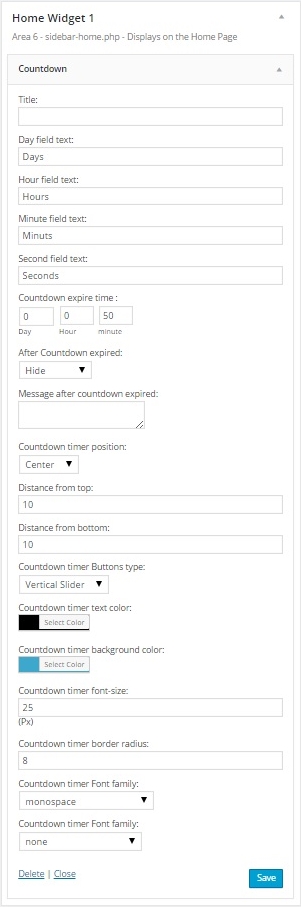
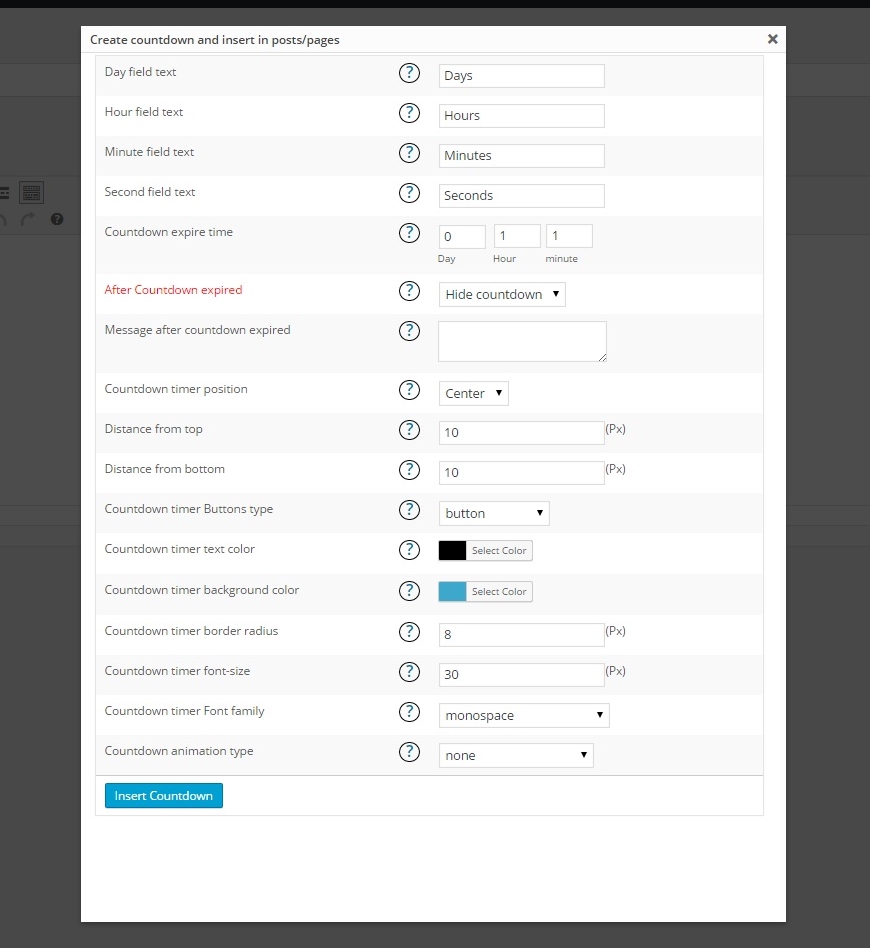
  • Day field text – Type here text for Day field.
  • Hour field text – Type here text for Hour field.
  • Minute field text – Type here text for Minute field.
  • Second field text – Type here text for Second field.
  • Expire time/date – Type the expire time or select it from calendar.
  • After time expired – Select the action after time expired.
  • Message after time expired – Type the message after time expired.
  • Position – Select the position.
  • Distance from top – Type the distance from top.
  • Distance from bottom – Type the distance from bottom.
  • Buttons type – Select the buttons type.
  • Text color – Choose the text color.
  • Background color – Choose the background color.
  • Size – Type the size.
  • Border width – Type the border width(px).
  • Border radius – Type the border radius(px).
  • Font-size – Type the texts font-size(px).
  • Font family – Choose the Font family.
  • Animation type – Choose the animation type you need.

Adding timer into your website pages, posts

After installation activate the plugin, then go to your pages, posts and just click on our plugin shortcode button and add it to your pages/posts.

Adding in your website sidebar

After installation activate the plugin, then check your widgets page(Appearance>Widgets) and then drag and drop our plugin widget into your sidebar.
After that configure the options. That’s all.
Countdown Timer – Widget Countdown - Screenshots & Visual Gallery

Visual preview of Countdown Timer – Widget Countdown interface and features

33
Views
0
Downloads
0.0
Rating
2.7.8
Version

User Reviews & Ratings for Countdown Timer – Widget Countdown

Real user experiences and feedback about Countdown Timer – Widget Countdown application

0.0

Based on 0 reviews

Submit Your Review

Reviews
No reviews yet

Be the first to review Countdown Timer – Widget Countdown!

Frequently Asked Questions About Countdown Timer – Widget Countdown

Common questions and answers about Countdown Timer – Widget Countdown for WordPress Plugins users

Countdown Timer – Widget Countdown is a leading development application designed specifically for wordpress plugins platforms. Developed by wpdevart, this powerful wordpress plugins software offers exceptional functionality and user experience. The application has earned a 0 star rating from users and stands out among other development tools in the market.

Downloading Countdown Timer – Widget Countdown is simple and secure. Click the prominent download button on this page to get the latest version v2.7.8. This free download includes all features and works perfectly on wordpress plugins devices. The download process is fast, safe, and completely free of charge.

Countdown Timer – Widget Countdown is optimized for wordpress plugins compatibility and works seamlessly across different versions. The application is lightweight, efficient, and designed to run smoothly on most wordpress plugins systems. For the best experience, ensure your device meets the minimum requirements outlined in the application description.

Yes, Countdown Timer – Widget Countdown is available as a completely free application. You can download, install, and use all features without any cost. The development software comes with full functionality, regular updates, and ongoing support from the developer wpdevart.

Countdown Timer – Widget Countdown stands out among development applications for its superior performance, user-friendly interface, and comprehensive feature set. Unlike other development software, it offers better integration with wordpress plugins systems and consistently delivers reliable results.

Countdown Timer – Widget Countdown combines innovation, reliability, and ease of use in one comprehensive development solution. Developed by the experienced team at wpdevart, this wordpress plugins application offers features that competitors simply cannot match. With a 0/5.0 user rating and thousands of satisfied users, it's proven to be the top choice for development needs.